¶ About Accessibility in ITSM-NG
Accessibility is a component that allows the user to navigate easily on the ITSM-NG interface, making it suitable for and each every user.
¶ List of available accessibility options
- UI Scale : change the default zoom level.
- Keyboard shortcuts : use shortcuts to switch easily between tabs.
- UI Font : change the ITSM-NG font. Below is the list of available fonts :
- Open Dyslexic Regular
- Open Dyslexic Alta
- Tiresias Info font
Note : Open-Dyslexic is an open sourced font created to increase readability for readers with dyslexia.
Go to the following link for more information https://opendyslexic.org/
¶ Supported browsers
- Firefox
- Brave
- Chrome
- Edge
Note : FireFox doesn't implement the zoom css directive.
¶ Configuration
Allow access to the accessibility feature in Profiles.
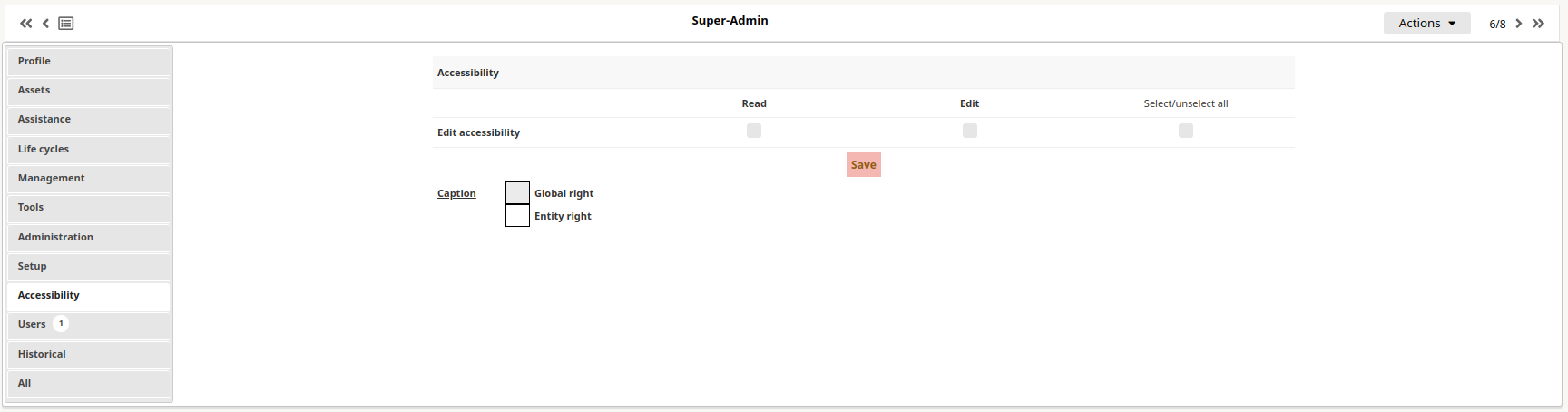
¶ How to setup accessibility
¶ For myself
Go to Preference(My settings) > Accessibility.
Here you can change the UI Font and the UI Scale.
You can also Enable/Disable shortcuts.
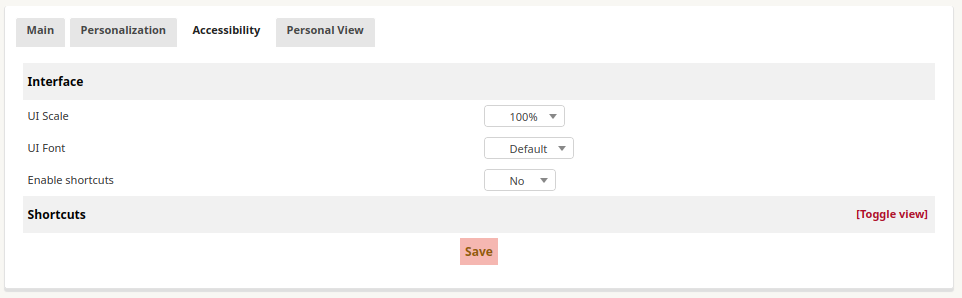
To set shortcuts, toggle the view, click on the shortcut you want to change and set the key combination with your keyboard. Click on Update.
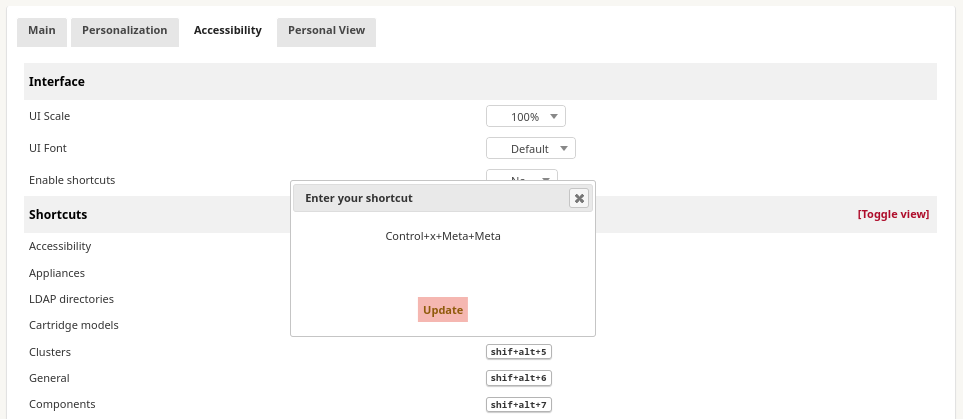
Don't forget to click on Save at the bottom of the form.
¶ For another user
With administrator rights, it is possible to update basic accessibility settings for another user.
Go to Administration > Users and click on the user you want to update.
Go to Accessibility tab.
Here you can change the UI Font, the UI Scale and Enable/Disable shortcuts.
